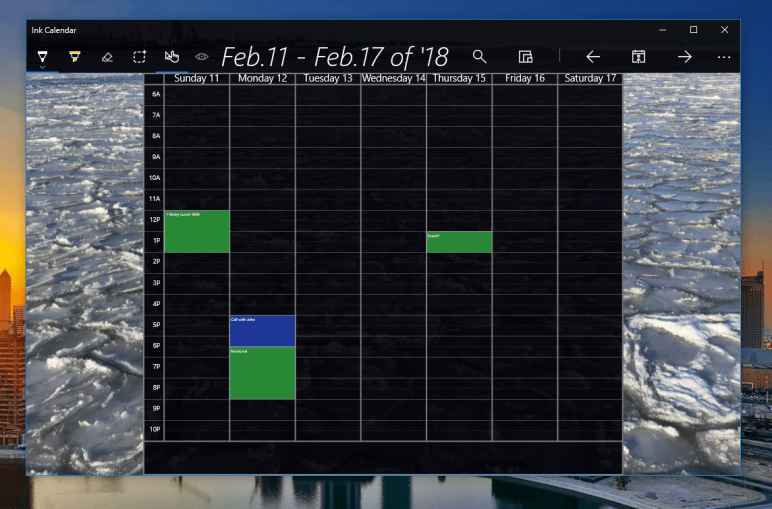
Getting ready for beta testing Ink Calendar & Journal v3.0

Work has been underway for months now on switching over from the Windows appointment API to the Microsoft Graph API and rebuilding all of that infrastructure. I am starting to use test builds myself and they are getting good!

If you would like to test a beta build of Ink Calendar and Journal version 3.0 fill out the form below and I’ll add you to the testing group!

It is exciting times with many improvements to the app on the horizon! If you have any feedback please reach out!

Joe

Major breakthrough with calendar events!

For years now Ink Calendar & Journal has been plagued with the unstable and frequently broken AppointmentManager as the method for adding events to calendars. This week I have been able to use the Microsoft Graph to bring in events from your Outlook calendars.

Using the Microsoft Graph API will enable a reliable experience for all users. The Graph API can be used to view events from all calendars, create/edit events, see event details and more! This API is already being used by Ink Calendar to do the OneDrive syncing so adding calendar permissions is simple permission accept screen.

Since Microsoft introduced the “New Outlook” the API was completely broken with no intention of fixing it. The previous API was used because it relied on the Mail & Calendar apps for authentication, and enabled multiple accounts. Version 1 of the Graph API will only support one Microsoft account.

Let me know how events on the calendar have been going for you? Also what are you looking for in a new events system?

Joe

Adjustments and Improvements Galore in 1.14.2

After a long delay Ink Calendar 1.14.2 has been submitted and accepted to the store. This update brings lots of little changes to Ink Calendar which should improve the experience for all users. The change list is long with this update:

  • Tap to select a block of ink.
  • Current day is highlighted in the Year View.
  • The different view buttons are no longer in a menu when the window is wide enough.
  • Appointment time recognition has been improved.
  • Improved the look of the appointments on Month and Week view.
  • Free or tentative appointments are now transparent with colored text.
  • More space on mobile landscape orientation.
  • Bug fixes.

Let me know what you think!

On another note, I am working on updating my art for the Microsoft Store page. If you are an artist and use Ink Calendar please reach out I’d love to feature your art!

-Joe

Progress report on 1.11

I am making good progress on version 1.11 of Ink Calendar. This update will bring a few key new features I’ve been eager to release.

  1. Better Mobile UX
  2. Jumplists
  3. Calendar Events on Week View

Jump Lists
Jump Lists

New Mobile View
New Mobile View

So far all of these features are working. None of them are perfect but the majority of the feature is working well. I’ll keep refining the update and hopefully release soon.

Thanks again for using Ink Calendar!


Joe

Version 1.6.3 is on the way!

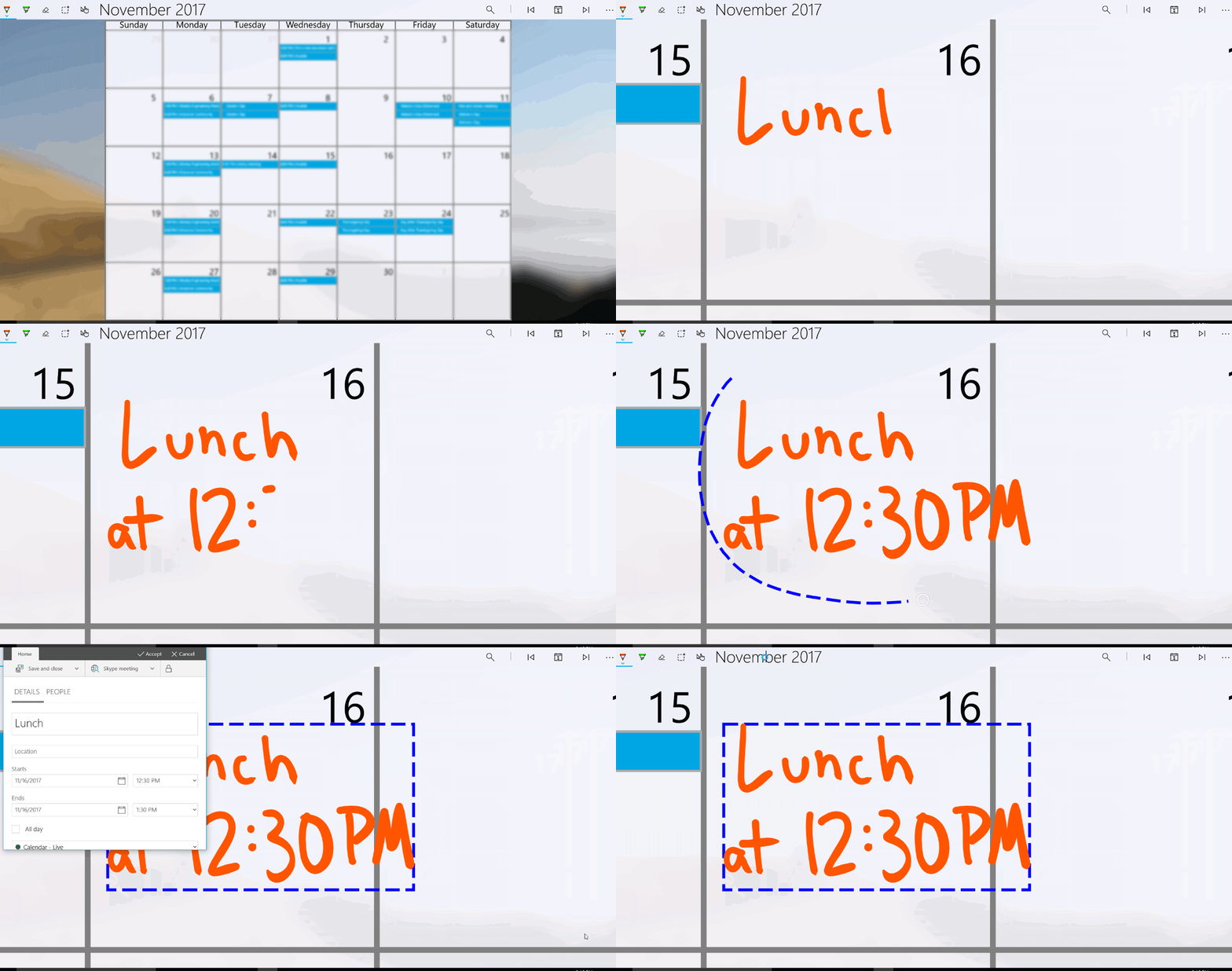
This week I’ve been working on adding some intelligence to Ink Calendar. After selecting some ink you can add an appointment to the calendar. Using the Windows Ink APIs the ink will be converted into text and used to build the event.

The simplest implementation of this involves adding the text as the subject of the event on the day the ink is centered. More advanced implementation involves looking for time and using that to set the start time of the event. Furthermore if the ink spans several days the even should span those days as well.

LunchAt1230PMForWeb

This is a first implementation of this technique. Let me know what you think, how well does it work for you? Does it read your ink or not?

As always, thanks for using Ink calendar!

-Joe


#1 Requested Feature is right around the corner

Easily the number one requested feature for Ink Calendar is existing Google and Outlook calendar integration. Soon with version 1.6 that will be possible.

I thought adding the calendars would involve lots of extra authentication and a refactoring of the codebase. However, as it turns out Windows 10 has an API for that. I can request a list of appointments from Windows and all the added calendars will stream in.

The feature works by getting the calendar data from the built-in calendar application. If you have added a calendar there then it gets pulled into Ink Calendar. I’ll be adding more granular control around which calendars you want to include, but I did not want to delay this highly requested feature. I’m excited to roll this feature out soon. Let me know what you think!

Thanks again for using Ink Calendar,

-Joe