Blog

Progress with 1.7

Update 1.7 is coming along nicely. I have added lots of changes under the hood and I have discovered the source of the crashing when sharing, saving, and printing on mobile.

The changes that I have made under the hood are not tied in so they won’t affect normal app usage. I am still experimenting with how to arrange and organize ink data with relation to the days. It is very simple to associate a month with an ink file, but when you start to move to weeks, or work weeks, or arbitrary date spans it becomes much more tricky.

The source of the crashing of share, print, and save was a result of low ram devices. I tested saving an ink file on device with 512MB, 1GB, 2GB, and 3GB. I’d been doing all of my mobile testing on my Lumia 830 which only has 1GB of RAM and I was experiencing the crashing. When I downloaded a few more mobile emulators I discovered it was related to the available RAM to Ink Calendar.

To remedy this for now I have added a line which checks for the available amount of RAM and enables or disables the buttons accordingly. Long term I would like to find a way to share, print, and save more efficiently and enable those features on more devices, but for now this will have to work.

Thanks again for using Ink Calendar! If you haven’t rated/reviewed Ink Calendar in the app store I would really appreciate it!

-Joe

What’s next for 1.7

In the next release I plan to focus under the hood. This means improving the way I organize, save, and load data. With more organized data I’ll be able to manage more of it!

For example adding a week view is in the plan. Things that makes that strange. Weeks are not as organized as Months are. Their method of being organized is not as clean and consistent.

This means I’ll need to come up with a system of organizing weeks, their days, and their data. This should not be hard, but it is work that takes time.

In addition to hidden improvements I plan on going after some bugs which prevented some features from being available on mobile. Specifically the share, save, and print capabilities. When I was testing these on mobile without fail they would crash the app every time with no error. This makes debugging harder. I’ll be looking for new ways to tackle and fix this/these bugs in this update.

Thanks for using Ink Calendar! Feel free to contact me on twitter (@TheJoeFin) or email (support@Inkcalendar.com),

-Joe

Version 1.6.3 is on the way!

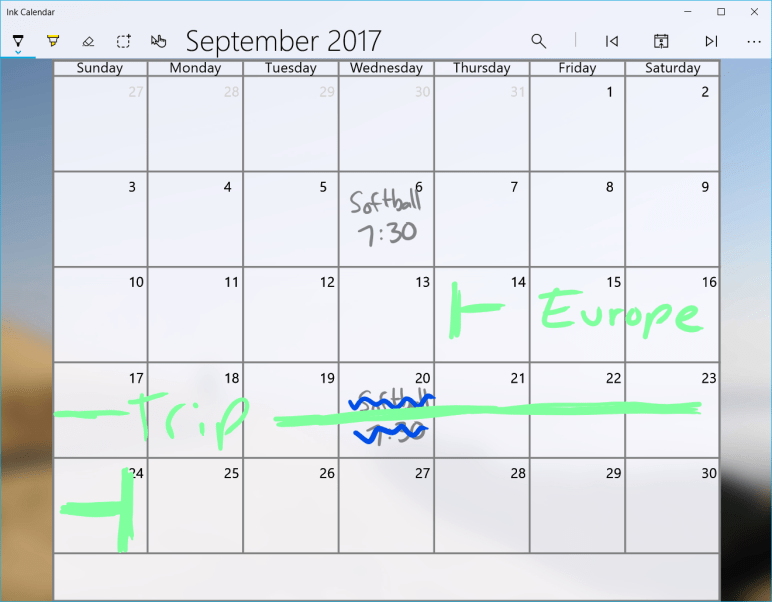
This week I’ve been working on adding some intelligence to Ink Calendar. After selecting some ink you can add an appointment to the calendar. Using the Windows Ink APIs the ink will be converted into text and used to build the event.

The simplest implementation of this involves adding the text as the subject of the event on the day the ink is centered. More advanced implementation involves looking for time and using that to set the start time of the event. Furthermore if the ink spans several days the even should span those days as well.

LunchAt1230PMForWeb

This is a first implementation of this technique. Let me know what you think, how well does it work for you? Does it read your ink or not?

As always, thanks for using Ink calendar!

-Joe


#1 Requested Feature is right around the corner

Easily the number one requested feature for Ink Calendar is existing Google and Outlook calendar integration. Soon with version 1.6 that will be possible.

I thought adding the calendars would involve lots of extra authentication and a refactoring of the codebase. However, as it turns out Windows 10 has an API for that. I can request a list of appointments from Windows and all the added calendars will stream in.

The feature works by getting the calendar data from the built-in calendar application. If you have added a calendar there then it gets pulled into Ink Calendar. I’ll be adding more granular control around which calendars you want to include, but I did not want to delay this highly requested feature. I’m excited to roll this feature out soon. Let me know what you think!

Thanks again for using Ink Calendar,

-Joe

Delays in 1.5

Version 1.5 has been in the works for a few weeks now. It will bring a few new features and some user requests. None of these features on their own a big, but they continue to fill out the applications features.

This version has taken me longer than I had hoped for a few reasons. First I have been busy and not able to work on the app during the evenings. Second there have been a few tasks which have taken me a long time to understand and implement. One involving background tasks, the other was related to graphics work I did which always takes me a long time.

Hopefully I’ll have version 1.5 submitted to the store soon. If I cannot get the background portion working soon I will release the update without that portion, then add it in when I get it working.

Thanks for using Ink Calendar,

Joe

Features Missing From Mobile

Ink Calendar is available on Windows 10 Mobile. I made this decision because the core functionality of the app works reasonably well on a mobile device with a decent sized screen. Also I want to build a backend for to sync the ink across devices.

While testing new features on my Windows 10 Mobile device I discovered that there were some strange behaviors. When adding the share, save, and print capabilities they would immediately crash the app on mobile. No warning, no exception thrown, no error message while debugging.

When adding the ability to cut, copy, and paste ink the code was fairly simple. I followed the sample app supplied by Microsoft and it was easy to implement. When testing this ability on mobile I got strange errors and the functionality was not there. The ink content presenter could never paste.

These are fairly minor issues and the core functionally of the app is still there, but the errors are odd. Errors like this make it more clear to me that while Microsoft likes to tout how Windows 10 and Windows 10 Mobile can both run UWP apps… that just is not true. Windows 10 Mobile is so different from Windows 10 that it needs not just UI tweaks to make apps work.

Hopefully any mobile device from Microsoft in the future will come from Windows 10 because that would simplify development and make Ink Calendar way better on that mobile device.

1.4 has been submitted

Version 1.4 settings

I have submitted update 1.4.3.0 to the Windows Dev Center. The update should roll out in over the next few days. This update brings two external changes.

  1. Adjusted app icon
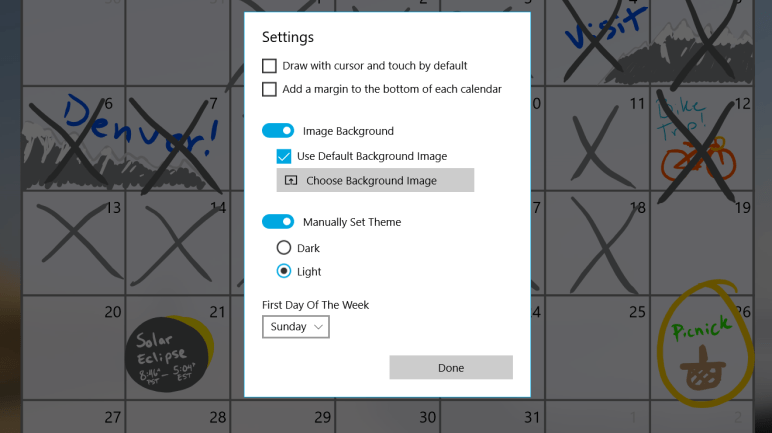
  2. Choose the first day of the week

There are many fixes and adjustments under the hood where I made improvements to the organization of my project and code efficiency. I also fixed the bug which was preventing the app from sharing the calendar.

The adjustments to the app icon was subtle and simply turned the pen and pen stroke from blue to white with a 50% transparency. Originally I had thought I would use the blue color more in the design and UI of the application, but that ended up not being the case. Since the only place the color was used was in the icon I decided to change it. Now the user’s accent color will show through and the icon should blend in with other Windows 10 icons.

One of the code improvements I made with this update was in the  calendar generation code. My first attempt at writing code to draw the calendar was bulky, length, and does not scale well. I rewrote how the app generates a calendar and this method made it easy to add the first-day-of-week setting. This setting would have been extremely painful to do with my old code. The new code made it quick and easy!

One little oddity of the first-day-of-week setting is that the ink on each day does not move. I decided this would be acceptable because there would be no good way to shift the ink around in a way that makes sense for everyone. I thought it would be easier to not move the ink and the user can shift days around if they want to. I may revisit this in the future if there is a desire for the app to cut and move the days when this setting is changed. Ideally this setting will be set once and not changed.

Part of this update involved breaking the settings and about dialogs off onto their own pages. This involved me changing the way the pages behave when those dialogs were opened. Now that the dialogs have been separated it will be easier for me to add more dialogs for features down the road.

Thanks and happy inking!!

-Joe


Update 1.4 Moving along nicely

I have finished the majority of the work on update 1.4. While I first thought this would be simply a behind the scenes update there have been a few improvements to the UI and one new setting which was easy to add thanks to the improved code.

I am testing 1.4 now on my devices. Hopefully I will publish it to the Windows store this weekend and the update will arrive next week.


Joe

Plans for 1.4

I am currently working on version 1.4 of Ink Calendar. This version will include many under the hood code improvements and make future features easy to implement. I want to get this update out before the end of the month and hopefully begin working on some awesome new features for September!

Since I am a novice developer a lot of these improvements are me learning how I should have properly written the app from the start. If you’re an experienced UWP dev and would be happy to field some questions, tweet at me @TheJoeFin.

Stay tuned!

– Joe