Getting ready for beta testing Ink Calendar & Journal v3.0

Work has been underway for months now on switching over from the Windows appointment API to the Microsoft Graph API and rebuilding all of that infrastructure. I am starting to use test builds myself and they are getting good!

If you would like to test a beta build of Ink Calendar and Journal version 3.0 fill out the form below and I’ll add you to the testing group!

It is exciting times with many improvements to the app on the horizon! If you have any feedback please reach out!

Joe

Major breakthrough with calendar events!

For years now Ink Calendar & Journal has been plagued with the unstable and frequently broken AppointmentManager as the method for adding events to calendars. This week I have been able to use the Microsoft Graph to bring in events from your Outlook calendars.

Using the Microsoft Graph API will enable a reliable experience for all users. The Graph API can be used to view events from all calendars, create/edit events, see event details and more! This API is already being used by Ink Calendar to do the OneDrive syncing so adding calendar permissions is simple permission accept screen.

Since Microsoft introduced the “New Outlook” the API was completely broken with no intention of fixing it. The previous API was used because it relied on the Mail & Calendar apps for authentication, and enabled multiple accounts. Version 1 of the Graph API will only support one Microsoft account.

Let me know how events on the calendar have been going for you? Also what are you looking for in a new events system?

Joe

Drag and drop images, Ink to text, and more!

Work has been underway for a few weeks now on the next update to Ink Calendar and Journal. Two new features are working and a going to be great! One is an easier way to get images on to your calendars, and the other is a way to be more productive by converting your handwritten ink to text.

Adding images to Ink Calendar has been an option for a while but it required a few taps. Now you can drag and drop one or more images from File Explorer right onto your calendars and they will drop on! It is a fun and easy way to make your calendars even more personalized!

Dragging and dropping 3 images onto the Day View

While I have been using Ink Calendar I have wanted the app to be more productive when it comes to meeting notes. The first step in this process is making it possible to copy Ink as text, then use that text elsewhere. Copying meeting notes from Ink Calendar and pasting them into the body of an email or into a Word doc makes it so much easier to take advantage of the handwritten notes.

In addition to new features I am always working to make Ink Calendar less buggy and more stable. Hopefully this release makes good progress on that front!

As always, thank you for using Ink Calendar and always feel free to reach out with questions, concerns, or comments.

Joe

Goodbye AppCenter.

I am publishing an update tonight which removes Visual Studio AppCenter. I have narrowed a persistent bug to the UWP AppCenter package, so now I must cut it out. This was done by turning off AppCenter when Ink Calendar initializes. Removing this package has an added benefit of Ink Calendar now launching faster, and hopefully crash free.

As always, feel free to reach out if you are having any type of issue, I would love to help.

Joe

Journals are in 2.3 and they are awesome!

I have been hard at work on the next feature version of Ink Calendar. This version is bringing Journals, a feature which many users have requested for a while now. Unlike the other calendar views Journals do not have dates and are not tied to dates in any way. There are a few different styles to choose from and offer the flexibility to make Ink Calendar work for you!

Journal Builder Page
Bullet Journal and Graph paper backgrounds

The app has been submitted to the Microsoft Store now all I do is wait! As always thank you for using Ink Calendar and it brings me so much joy knowing people use this app every day!

Joe

Small update and big work begins

A couple of new features and bug fixes are rolling out in Ink Calendar 2.2.21. The features are focused on improving making Custom Views easier to find and jump to. Hopefully this makes them more useful for more people. For bug fixes this update focuses on syncing updates and making the multi-device experience more reliable.

Up next for Ink Calendar I will begin working on the most requested feature of Ink Calendar, more pages for writing.

Joe

What is next for Ink Calendar 2.3+

I have been working on bug fixes and planning the next slate of features for Ink Calendar.

New Features being planned and designed

  • More space for writing
  • Extra writing pages
  • Week numbers more places
  • Text on views
    • Clickable Hyperlinks
  • Surface more Custom Views
  • More?
    • Leave a comment or email me if you have another idea you’d like to see added!

Bugs or Issues being worked on

  • Appointment Management Bug in Windows
  • Use latest Microsoft Identity packages
  • Use WinUI 2.7
  • Improving defaults to be more of what people expect
  • Better explanations in the app
    • How Ink Calendar gets appointments
    • How to add or remove accounts
    • How to sync ink etc.
  • General bug fixes
    • Custom Views not updating when changing view settings
    • Reducing memory usage
    • More tests for different elements on the app
    • Better cloud sync error management

I hope Ink Calendar has been working well for you! Feel free to reach out if you have anything you’d like to share.

Joe

Obsessing over bug fixes and performance

For the last several versions of Ink Calendar I have been focusing on fixing bugs. I am trying to do everything in my power to fix every single instance of crashing and performance issues. Watching every crash in AppCenter and doing what I can to understand and fix the root cause.

Stability ebbs and flows due to me rearchitecting the app to be more robust overall. One major source of crashes in the past month were related to me using a different system for triggering timers. This new system was the modern way of having reoccurring checks for new ink in the cloud and loading and syncing. I have since been able to refine my implementation and have seen crashes reduce significantly.

Another major area of focus has always been memory usage and the speed for views to load. With the next update (2.2.17) I’ll be rolling out a new cache method when switching between views. In my testing this new method is robust and reduces possible memory leaks from switching back and forth between views.

With any new addition like this the risk of bugs being introduced is high. However, the opposite is also very possible. Ideally with fewer objects hanging around in memory doing strange things Ink Calendar should be more stable. I test Ink Calendar on three devices in a variety of different ways. In addition to manual testing I write unit tests to ensure methods are robust and fault tolerant.

Hopefully you’ve stuck around over the years while I’ve been working on Ink Calendar. I want to believe the app has become a great app and delivers way more value to users. As always, I’m open to any feedback or suggestions. Just email support at inkcalendar dot com.

Joe

Fixes and Efficiencies

An updated was submitted to the Microsoft Store yesterday which contained a few key fixes bringing efficiencies to Ink Calendar. A newly discovered issue with Ink Calendar happened to be the way the Appointment Store was being used. Now I am calling a single instance of the Appointment Store which improves loading speed, memory usage, and appointment reliability.

There is more work to be done in this area and there are still strange behaviors with the Appointment Store API surrounding change notifications. I am trying to figure out what might be causing duplicate notifications when an appointment is added to the calendar.

Work to be done

I discovered today that adding appointments to the Windows calendar does not work well without an internet connection. Ink Calendar in the future will not enable appointment adding if the internet is not available. This should improve the experience as a whole because today the API simply fails with no warning or error.

Extra writing space has been a requested feature for some time, and it is a feature I have experimented with. Also adding text and hyperlinks to the canvas will eventually make its way to Ink Calendar.

As always thanks for using Ink Calendar!

Joe

Great Features in 2.2

Add images to your calendars alongside your inking! This feature has been on my roadmap for years. Finally I focused on the feature and got it working.

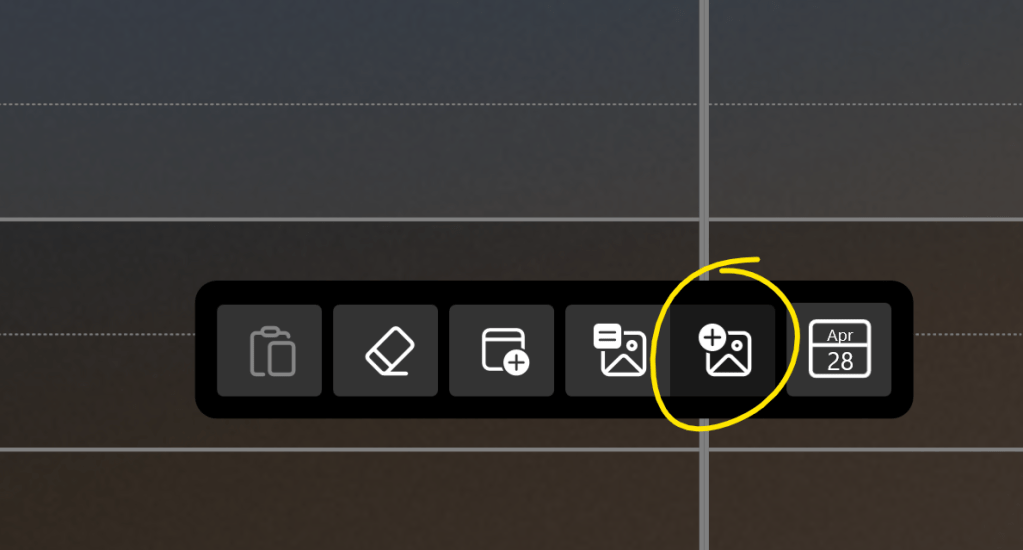
To add images to the canvas click the “Add Image” button after tapping the canvas

Add Image Button

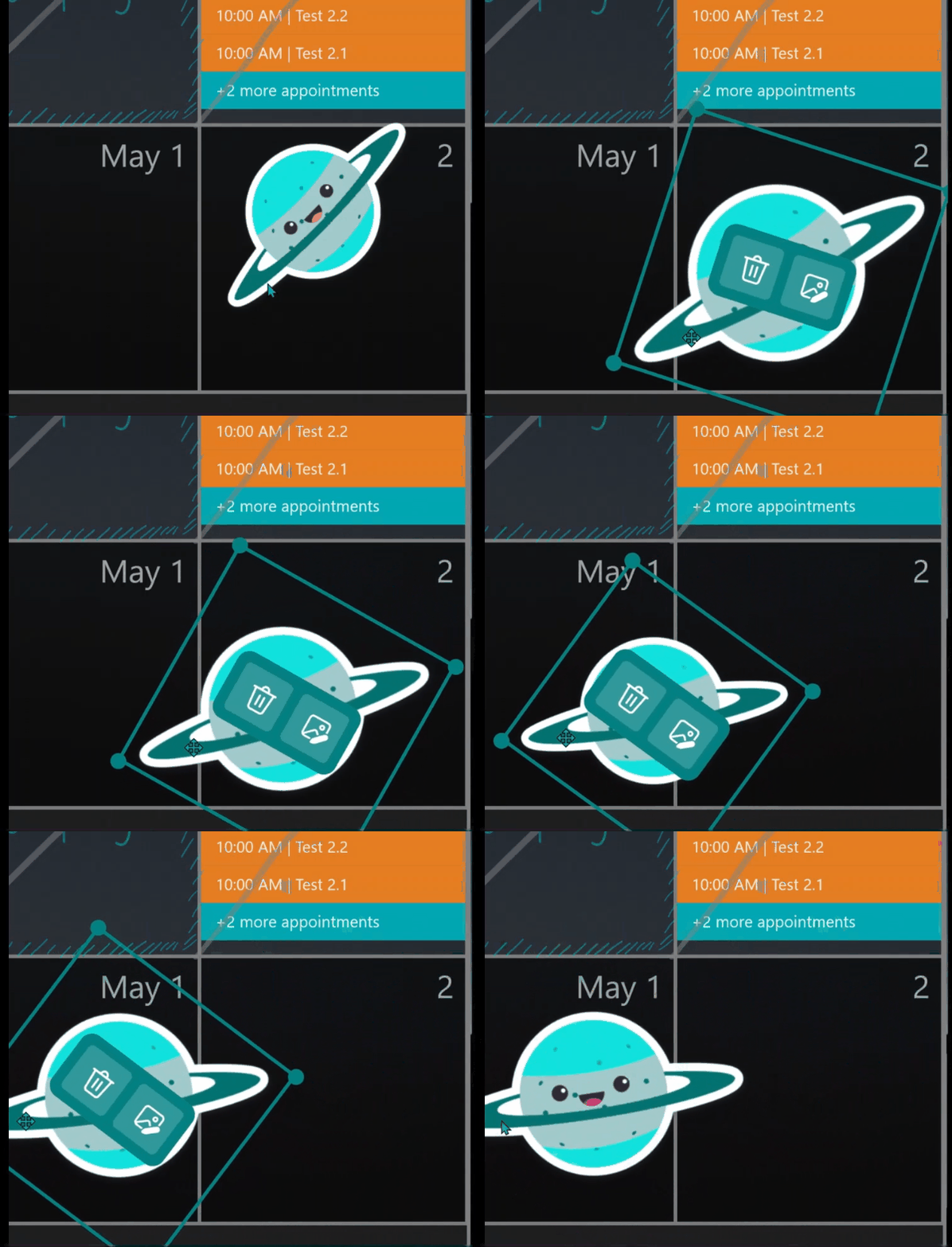
To modify the images click the Enter Image button. Once in Image Mode use the mouse or touch to move and resize the images around the calendar.

Enter and leave image mode
Two finger move, resize, and rotate

In addition to adding images to the calendar, several bugs have been fixed.

  • Background images do not flicker
  • Changing calendar settings more reliable
  • OneDrive sync faster and better indicator

Let me know how Ink Calendar is working for you!

Joe